If this is your first payment, we can understand it may be confusing to you. These are the steps you must take.
1. Please be sure you have already contacted us and received your quote, along with an invoice!
2. Click the "Make a Payment" link on our home page.
3. When you click, a screen like this will appear:
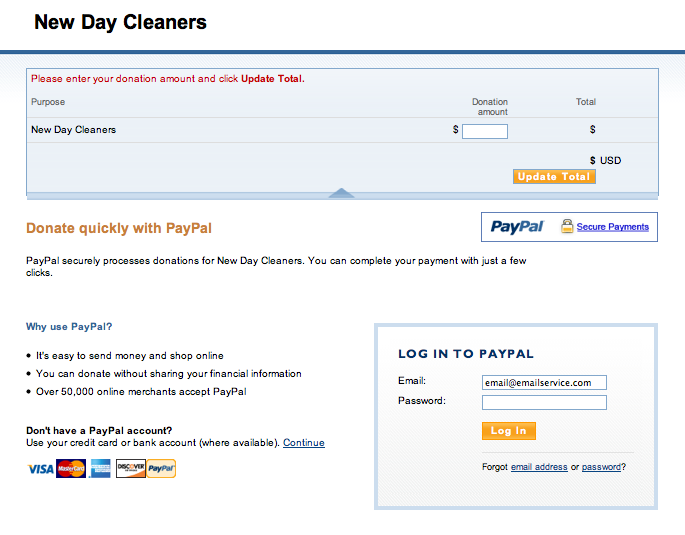
4. When you see "DONATION" do not be confused. You are in the right place. Because everyone's price is individualized PayPals "buy now" feature was not convenient for us. Just type in your total payment into the donation field. When you are done, please print the "donation receipt", 1 for your records, 1 for us. Please be sure to click "update total" before you continue or it will not save your amount.
5. Print out two copies of the invoice we emailed to you prior to making your payment. Please staple one donation receipt page to one of the invoices, please sign the invoice on the signature line! This will be our copy. The other page is for you!
6. We will collect the donation receipt and the invoice from you the day of the appointment. If you do not give us the signed invoice we can not clean your home, and your money will be refunded.
7. If this is your first appointment and you will NOT be home, we must meet with you within 24-48 hours of your appointment. If you are a returning customer you MUST leave the signed invoice and donation receipt in a convenient location. If we do not collect this we can not clean.
